
Selecting the Demo Properties File
The
demo.properties property file is the default property file bundled during the installation of GridServer LogViewer.
Procedure
-
To select the default property file, go to the
Filemenu, click Select property > demo.properties.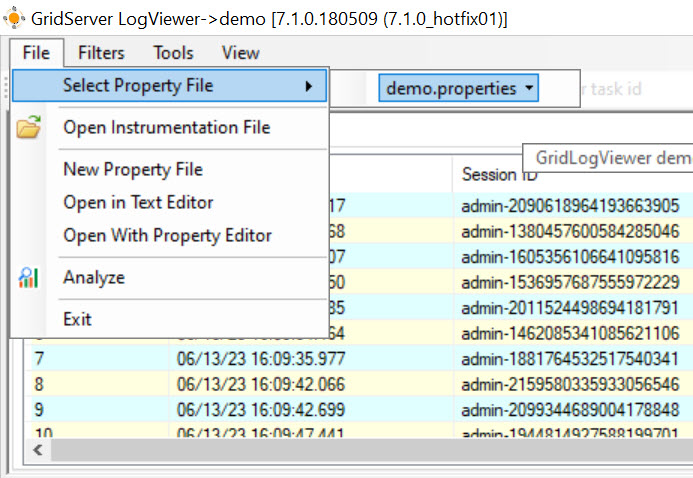
-
To analyze the log file, click Run Analyze
 .
Result
-
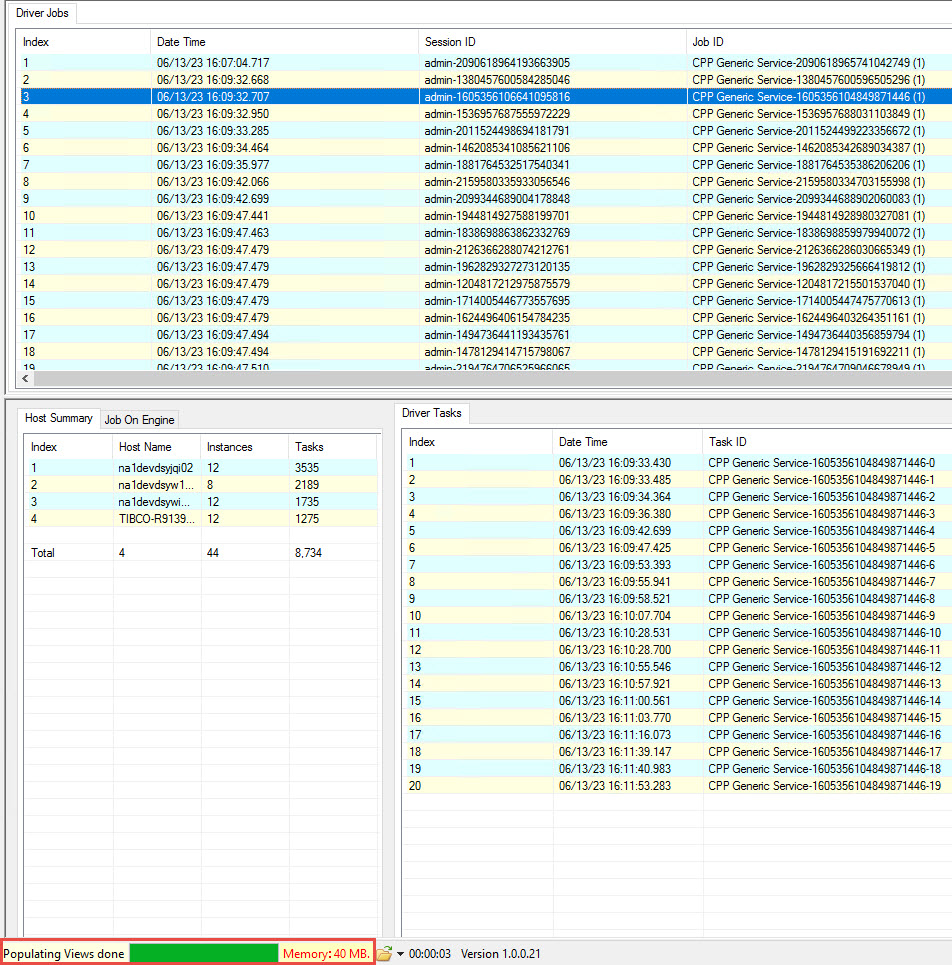
The selected file displays all the logs with the information such as,
Job ID, Session ID, Number of Tasks, Port, Date and Time, Run Time, Completed Time of each Job ID, and Errors. -
The file status in the status bar shows the
Memory Usagefor loading the log file of each configured component. It also displays the time taken to analyze the log and the version number of GridServer LogViewer. -
At the left pane,
Host Summarydisplays a differentHostmachine on which the log files are run. It also shows the number ofInstancesand the number ofTasksof each host. -
At the bottom, as per the selection of the JobID, the details such as
TaskID,Status,Completed Time,Run Time, andDownload Time,Date Timeof each task is displayed.
Note:
-
Alternatively, to select a property file, click Select Property File

-
To run Comprehensive Analyze, click Comprehensive Analyze
 .
-
For Multiple Brokers, you can select a Broker from the dropdown list and Run Analyze or run Comprehensive Analyze on the selected file.
Related information