
Selecting the Instrumentation File
The Instrumentation file is an .xml file that is different than the property file. It displays the analyzed logs of a selected log file.
Procedure
-
To select the instrumentation file, go to the
Filemenu, click Open Instrumentation file. -
To view the details of the selected Instrumental file, select the file from the pop-up window.
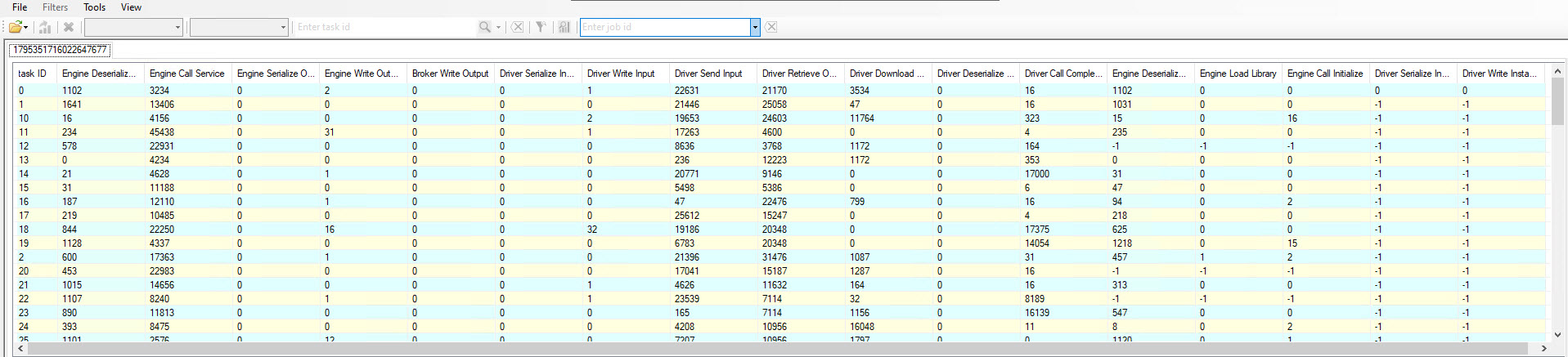
-
To view the details of a taskID, select a Task ID, right-click it, and select Show detail.
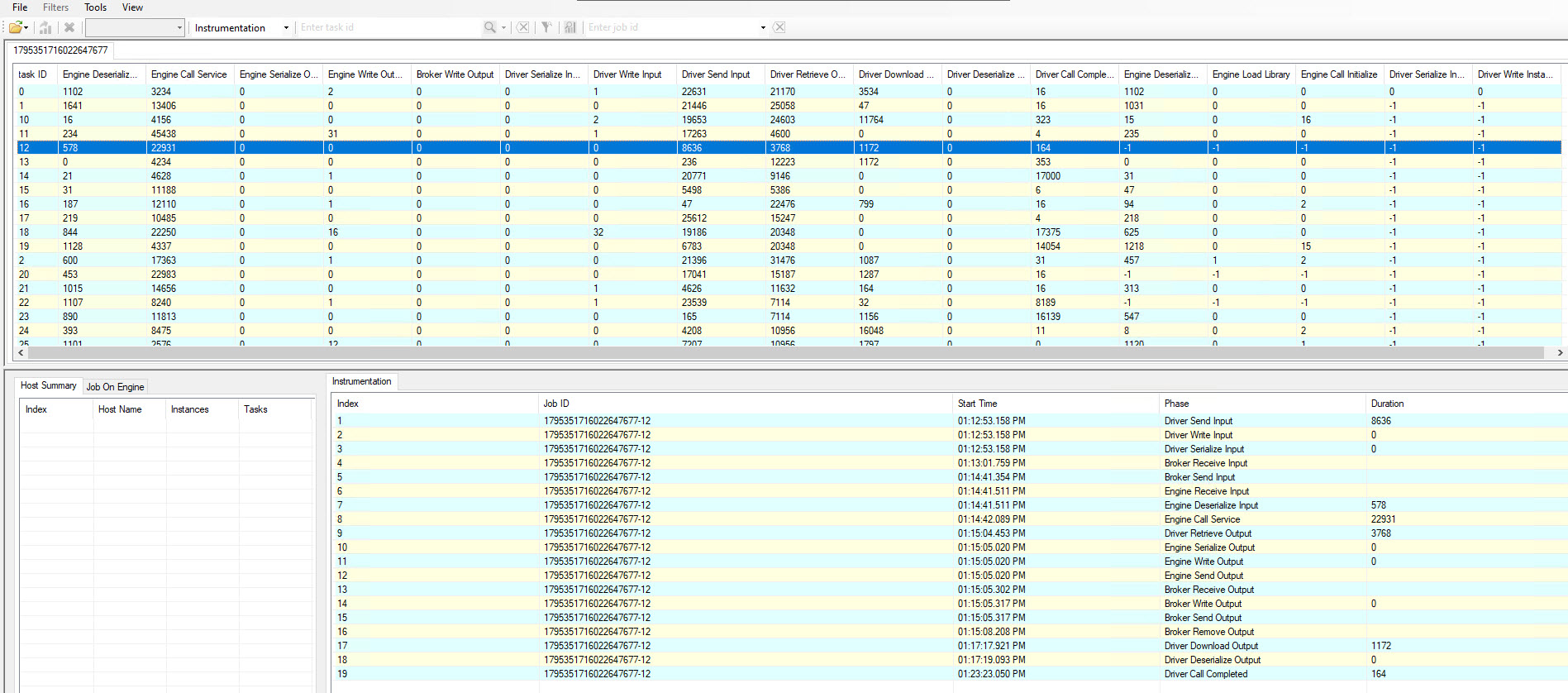
Result
-
The selected instrumentation file displays information such as,
Engine Deserialize Instance, Engine Load Library, Engine Write Output, Broker Write Outputand so on. -
On selecting the
taskIDof an instrumentation file, it shows details such as,Phase,Start Time, andDurationof each phase.
Note:
-
The Instrumentation file can be sorted on different parameters such as,
Engine Deserialize Instance, Engine Load Library, Engine Write Output, Broker Write Output, and so on. -
To sort the file on the required parameter, select the required parameter column.
Related information