
Installing Windows Engines
To install GridServer Engine on a Windows system:
-
Log in to the GridServer Administration Tool, go to the top navigation bar, and click the Downloadsicon.
-
Click the link to download the 64-bit (x64) Engine archive. This downloads a file named
DSEngineInstall64.msi. -
If you are using HTTPS, you might need to copy
ssl.pemandssl.keystoreto the target installation directory, see Configuring SSL. -
Run the msi installer file, or save it and move it to another machine.
-
Click Nexton the installer screen.
-
Select the location for the installation and then click Next.Default installation location is
c:\TIBCO\DataSynapseby default. -
Specify the URL of the Manager containing the Primary Director and then click Next.This must begin with http:// or https:// and include the port number (8000 by default.).
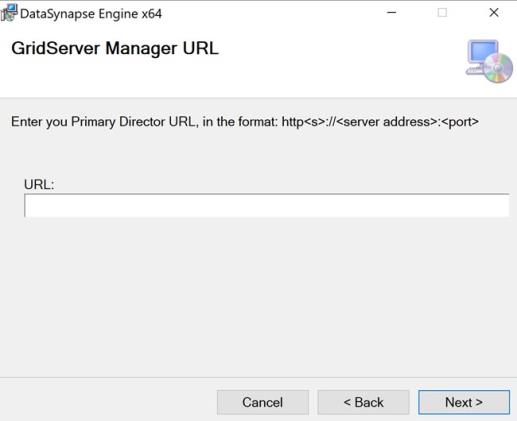 GridServer Manager URL
-
Enter the username and password that must be used to run the Engine’s Windows service. Leave the fields blank to use the Local System account. Click Next.**Note:**Using the Local System account to run the Engine service is discouraged.
-
If you want to enable Engine Daemon authentication during installation, see Enabling Engine Daemon Authentication.
-
To confirm the installation, click Nextand then click Closeto exit the installer.
Related information